
Hardware · 8 min read
USB-DMX Interfaces — What They Are and How to Choose One
A USB-DMX interface is a small adapter that turns a USB port into a DMX-512 output line, so a computer running lighting software (like DMXpressions™ in a browser) can control real lights. The most common models are the ENTTEC Open DMX and the DMXKing ultraDMX Micro — both work with DMXpressions™ over Web Serial with no driver install.
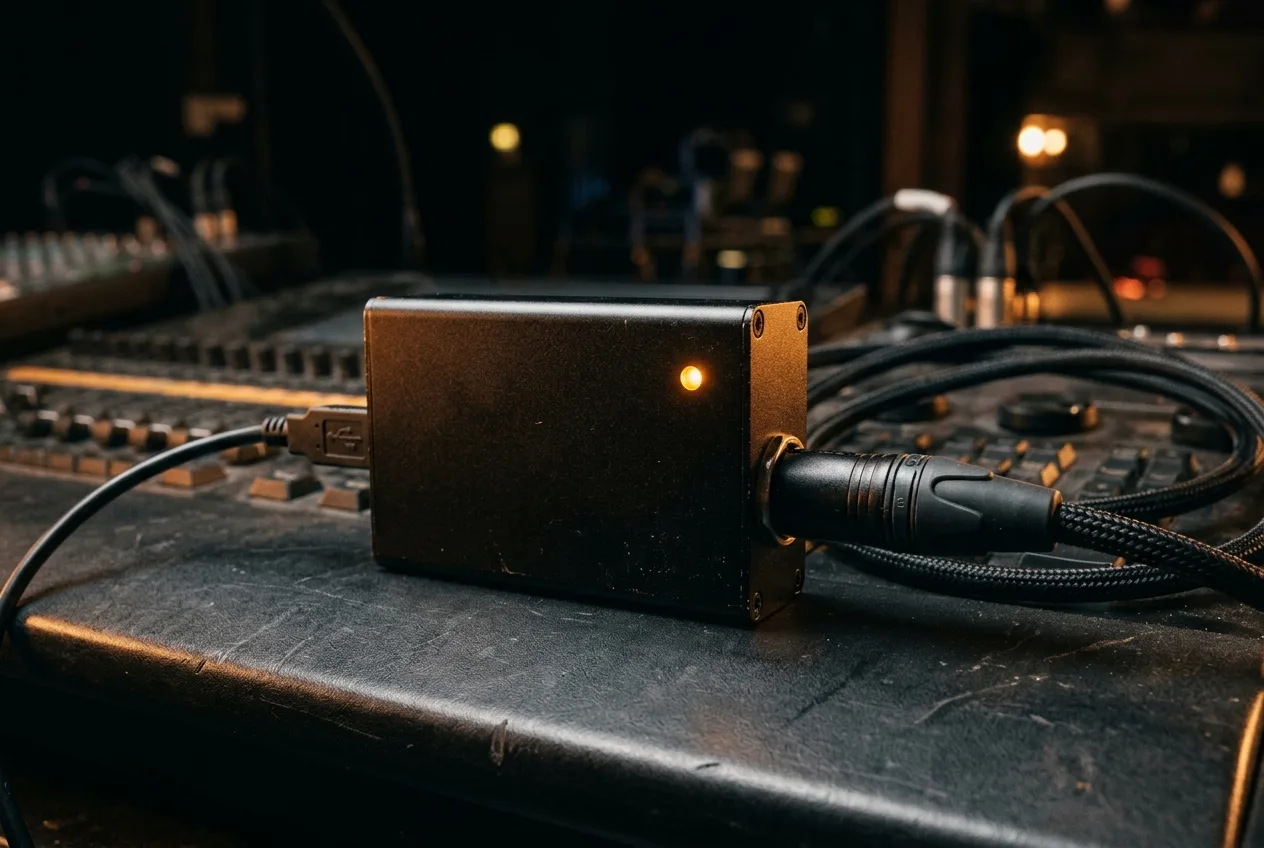
What is a USB-DMX interface?
A USB-DMX interface is a small adapter — often no larger than a USB memory stick with an XLR socket — that turns a computer's USB port into a proper DMX-512 output line. It's the cheapest way to drive real lights from software: you plug it into your laptop on one side and a DMX cable running to your first fixture on the other, and the software talks to it exactly as if it were a professional lighting console's DMX port.
Why you might want one
Not every venue has an Art-Net or sACN node stack. For a school stage, a rehearsal room, a small club or a bedroom rig, USB-DMX is often the simplest possible setup — one adapter, one XLR line, and you're running DMX. It's also handy as a backup: even if the venue network dies, a USB-DMX interface plugged into your laptop keeps outputting DMX to whatever it's directly wired to.
The two families
- Open protocol adapters — the classic example is the ENTTEC Open DMX USB. It exposes itself as a serial port (an FTDI USB-to-serial chip) and lets any software send raw DMX frames. These are cheap, ubiquitous and work well for small rigs.
- Vendor-specific adapters — the DMXKing ultraDMX Micro family and others use a similar serial-emulation trick but with tighter timing and better isolation. They're a good step up when you're outputting to a mixed rig with older fixtures.
Both families work with DMXpressions™ over the browser's Web Serial API. You do not need a proprietary driver install — modern Chrome and Edge speak Web Serial natively, and the console handles the DMX framing itself.
What to check when buying
- Number of universes. Most cheap USB-DMX interfaces are single-universe (one 5-pin XLR out). If you need two, buy two — they'll both show up as separate serial ports.
- Isolation. Higher-end adapters have optical or galvanic isolation between USB and DMX. On a big rig this saves the laptop from ground loops and voltage transients coming back down the DMX line.
- Connector. 5-pin XLR is the official DMX-512 connector; some cheap interfaces ship with 3-pin. Both electrically work, but the venue's cable stock will determine which is easier.
- Chipset. FTDI-based devices are the most reliable across operating systems. Avoid off-brand adapters with unlabelled chips — they sometimes drop frames under load.
Wiring it up
Plug the interface into a free USB port on the laptop that runs DMXpressions™. Connect a DMX cable from the adapter's XLR out to the first fixture's DMX in. Chain further fixtures out-to-in, and terminate the last fixture with a 120-ohm terminator. See What is DMX-512? for the full wiring rules.
Setting it up in DMXpressions™
Open Quantum Routeworks in the console and add a universe with protocol set to USB-DMX. Click Connect: your browser will show a permission dialog listing detected serial ports — pick the one that matches your adapter and grant access. The console immediately starts streaming DMX at 44 Hz. If the fixture doesn't respond, the two most common causes are a wrong start address on the fixture (see DMX addressing) and a missing 120-ohm terminator on the last fixture in the chain.
When to switch to Art-Net or sACN instead
USB-DMX tops out at one universe per adapter, over one physical XLR line. If you need multiple universes going to different parts of the venue, a network protocol is almost always the right answer — a single Ethernet cable can carry dozens of universes to any number of standard Art-Net or sACN nodes. Read Art-Net vs sACN to choose the right one.
Want to try it? Grab the free DMXpressions™ demo, plug in a USB-DMX interface and you're running real lights in a browser tab in a few minutes.