
Why DMXpressions™
A browser lighting console.
Built by a working LD.
DMXpressions™ was built by Theatrically Jerry — a lighting designer who got tired of choosing between a laptop weighed down by drivers and a console he couldn't take home. So he built the console he always wanted: professional, portable, and living entirely in the browser.
The console that follows you.
Most lighting software ties you to one machine, one dongle, one venue. DMXpressions™ moves the console into the browser. Patch, programming, cue stacks, effects, pixel mapping and the StageCraft3D visualizer run in a modern web app that can keep working offline after the PWA is installed.
It goes beyond the basics with DMXpressions MorphIQ OS, a shared contextual layer that carries fixtures, semantic parameters, cues and diagnostics between focused workspaces. StageCraft3D, Limelight ID, The Observatory, AtmoSPHERE, AudioLens and the AI Scene Builder remain purpose-built tools, but no longer behave like separate applications. Licensed systems scale to 128 universes of input and output; Art-Net and sACN run through the local bridge, while compatible USB-DMX interfaces can use Web Serial in Chrome or Edge.
No subscriptions. You own your license for life, including every future update. The free demo is always available, so you can build a full show before you ever spend a cent.
Who It's For
One console, every stage.
Theatre
Cue-stack driven shows with frame-accurate playback and a manual override always within reach.
Touring & Live
Carry your entire rig in a browser tab — up to 128 universes of input and output, venue to venue.
Corporate & Events
Spin up a clean show fast, program looks on the 3D visualizer, and hand off with confidence.
Broadcast
Lock to SMPTE timecode and trigger from MIDI for repeatable, on-air-ready playback.
Houses of Worship
Volunteer-friendly. No dongles, no installs — sign in on any machine and the show is there.
Schools & Education
A real professional console students can learn on for the price of a textbook.
What We Stand For
Principles, not promises.
Own it once
No subscriptions, ever. One payment unlocks lifetime access and every future update.
Built for scale
Patch and run up to 128 universes of DMX input and output from a single browser.
Runs anywhere
Laptop, venue tablet, or your backup machine — your shows sync and follow you.
Works offline
Once it loads, the console keeps running with full functionality even with no internet.
Flagship Engines
Purpose-built tools you won't find anywhere else.
Four ground-up engines that turn a browser tab into a genuinely professional lighting workstation.
Network · Routing
Quantum Routeworks
A visual node-graph for your entire output layer — wire universes to Art-Net, sACN or OSC-DMX nodes on an infinite canvas, with HTP/LTP/priority merges, virtual universes, conditional failover rules and live per-link traffic. The first of its kind.
Media & Sync · Tempo
TempoCore
The master tempo brain of the show. Set it, tap it, or lock it to audio or MIDI clock — then every beat-synced effect across your rig follows one source of truth, with swing, beat-offset and multiplier control.
Programming · Effects
CrescendoFX
Layer dynamic, generative effects — sine waves, chases, rainbows, sparkles and more — over any group of fixtures, each with its own speed, size, phase and fan, and all lockable to TempoCore.
Visualization · Layout
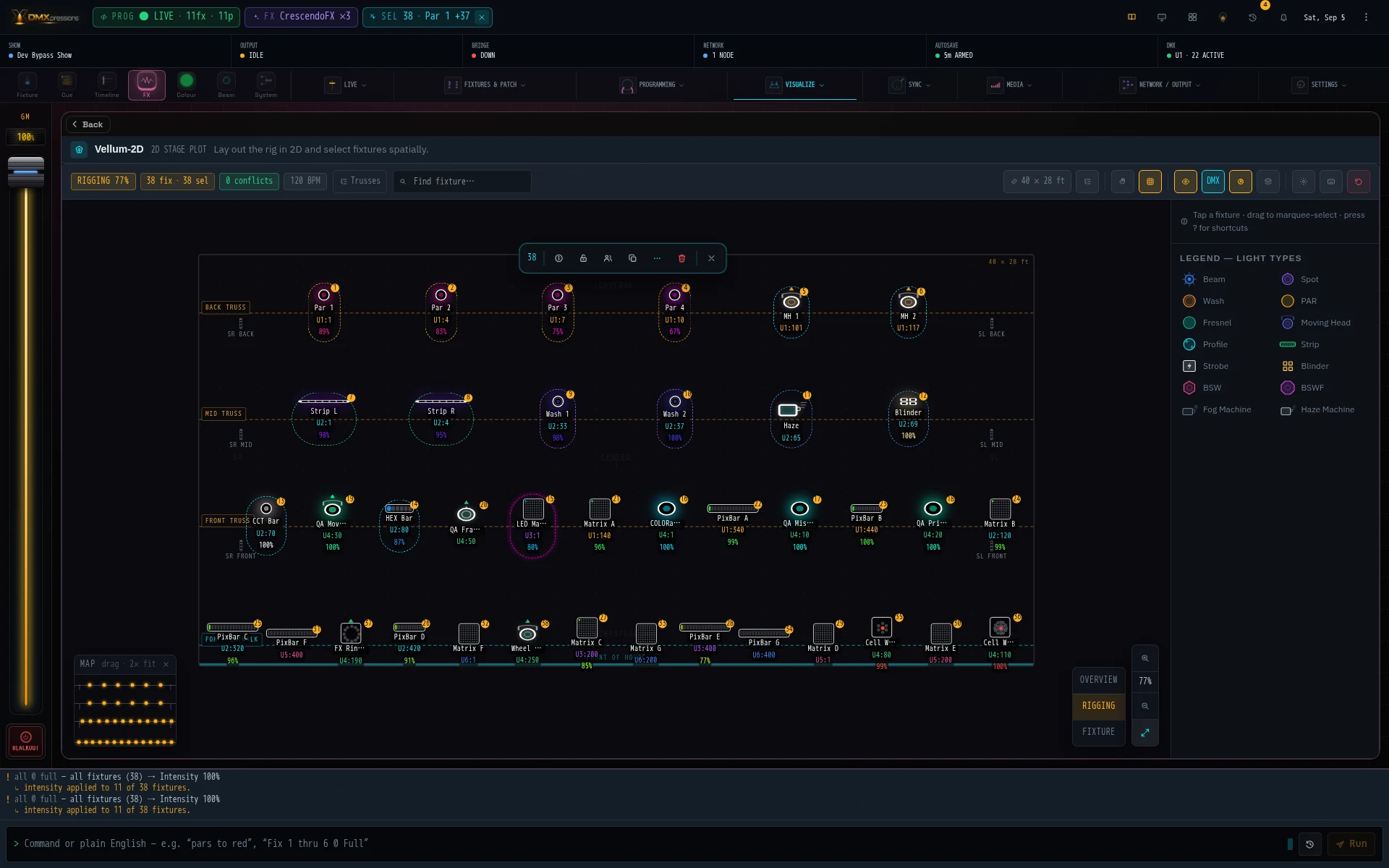
Vellum-2D
Lay out your rig exactly as it hangs in the venue and select fixtures spatially — draw, group and program by position instead of channel number, so the stage picture always matches what you see.
See It In Action
Real fixtures. Real tools. Real console.
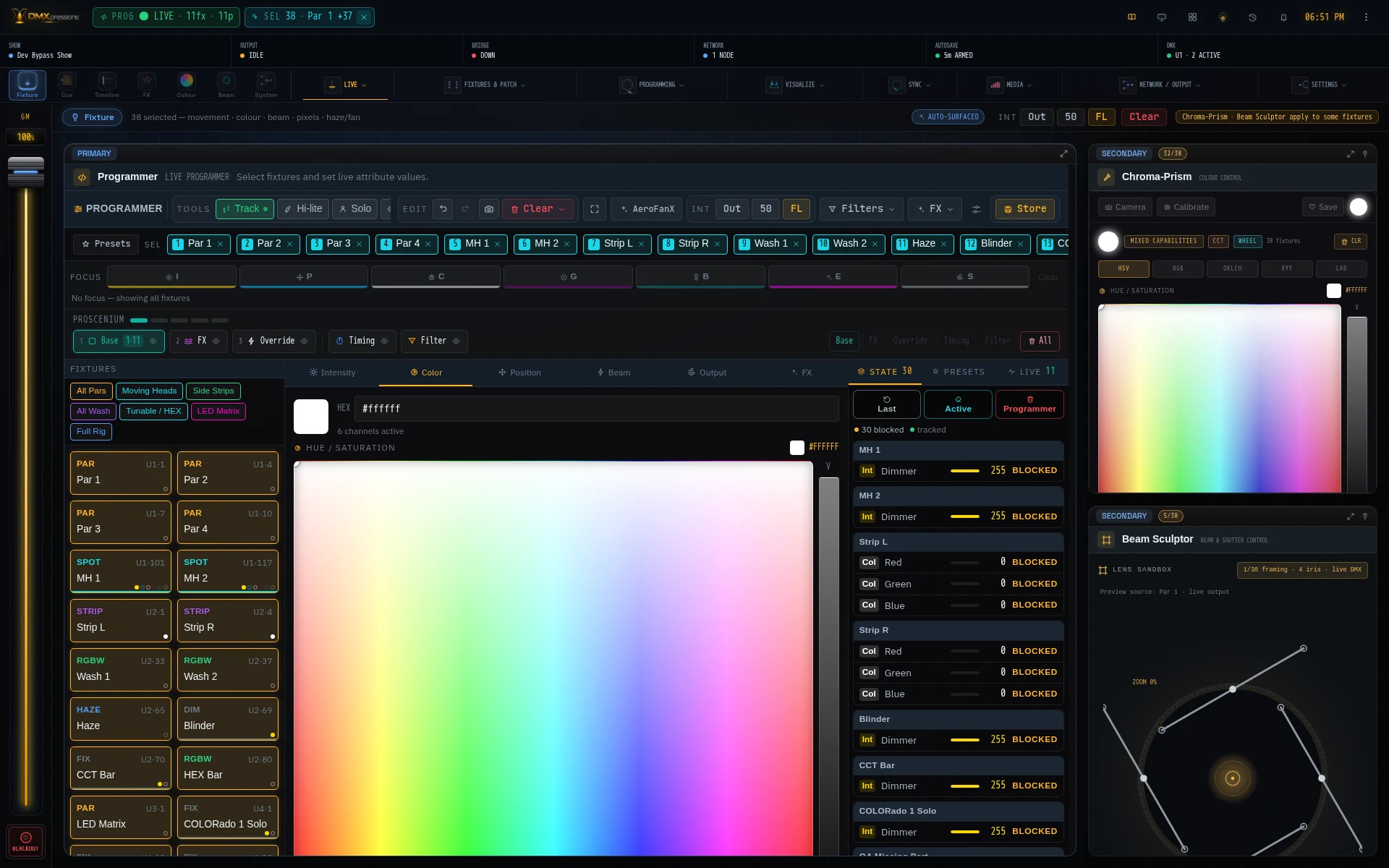
Every image below is a fresh capture from the working DMXpressions™ app with its demo show and patched fixtures — no interface mockups.






On Any Device
Program from your phone or tablet.


Lighting. Control. Expression.
Take it for a spin.
Open the console free, build a full show, and upgrade only when you're ready to go live.