
Stage Planning
Vellum-2D Stage Planning
Vellum-2D turns the active DMXpressions™ patch into a scalable overhead lighting plan for arranging fixtures, focusing structures, checking rig context and preparing crew-ready plots.
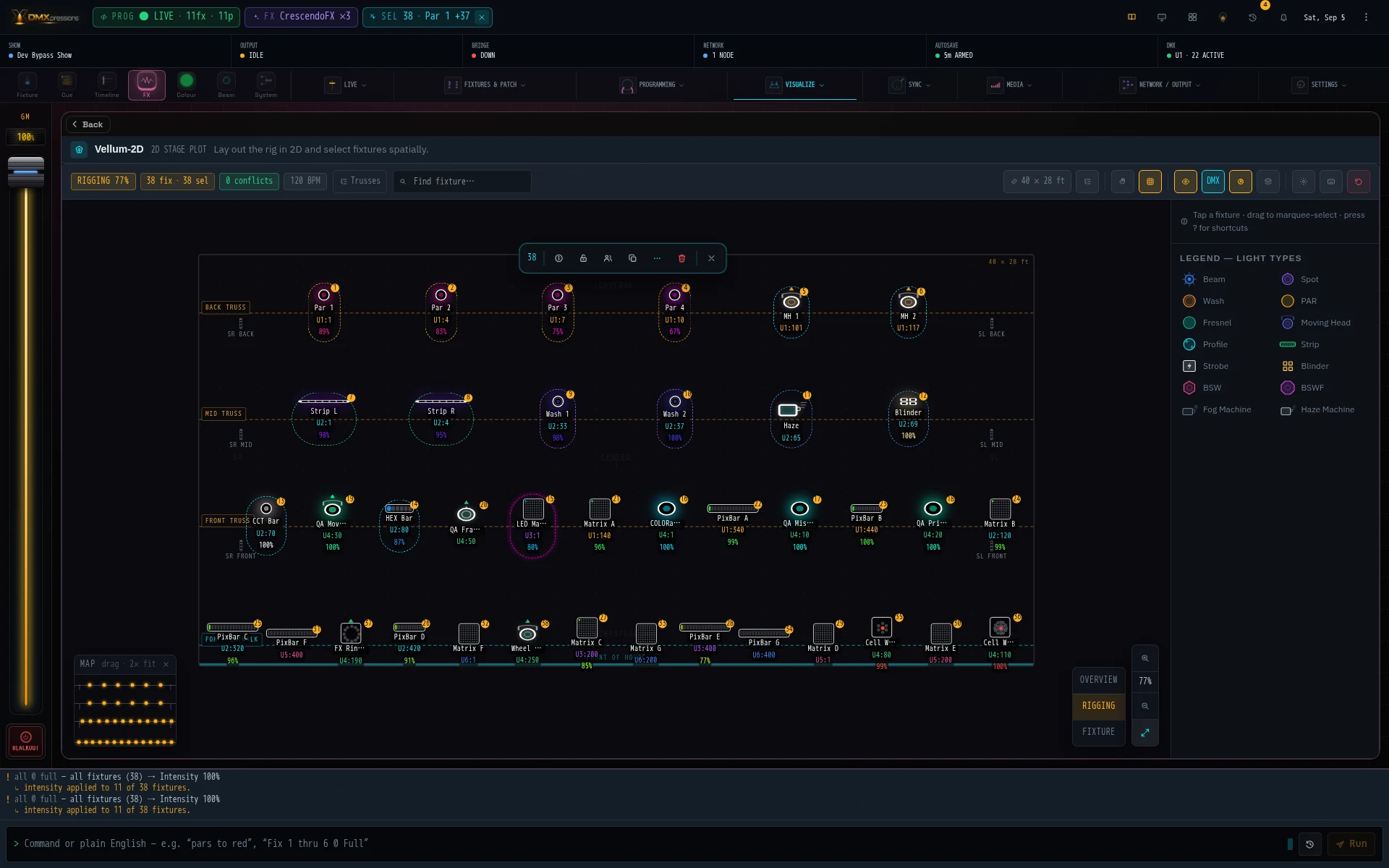
Plan the rig from an overhead stage view
Vellum-2D reads the working fixture patch and shows each unit in spatial context across trusses, booms and the stage. Drag fixtures to match the physical rig, hard-snap them to structures, search by name or DMX address, and keep stage dimensions consistent with the wider visualization system.
Semantic zoom for overview, rigging and fixture detail
Overview condenses each truss into a readable status block. Rigging reveals fixtures and DMX addresses. Fixture view exposes the detail needed for close positioning and selection. Pinch, Ctrl/Command-scroll, the zoom HUD, Fit control and draggable minimap keep navigation fast on desktop and touch devices.
Spatial selection and contextual control
Select one fixture, a group, an entire truss or a boom directly from the plan. Contextual controls support inspect, rotate, lock, group, copy, remove, align, distribute and grid arrangements. For compatible fixtures, intensity, colour and pan/tilt controls write to the real show state rather than a detached drawing.
Rig health and visual organization
Optional labels, DMX values, group halos, proscenium layers and colour coding help dense plots stay readable. The fixture inspector can surface genuine RDM diagnostics for linked devices without inventing data when RDM is unavailable.
Export a professional lighting blueprint
Blueprint Export produces a printable stage plot using recognizable fixture symbols, unit numbers, short labels and universe-address callouts. A symbol key, fixture-type counts, centre line, side-boom fixtures and numbered Instrument Schedule give the crew a practical document for prep, load-in and focus.
One shared rig layout
Vellum-2D writes to the same saved rig layout used across DMXpressions™. Truss and fixture placement changes remain synchronized with compatible 3D and atmospheric views, so the 2D plot stays authoritative rather than becoming a stale illustration.
Review the broader DMXpressions™ feature set, open the documentation hub, or watch lighting-control demonstrations.